Congrats if you have Barista Reward Points ready to redeem from within your account!
- Generating your code
Ensure you are logged in to your account and head to the rewards tab.
In the redeeming points section, select which reward you wish to redeem & hit the unleash button to get your code.
Copy the generated code and apply to your next order.
Don't worry if you forgot to copy your code - scroll to the very bottom of the Rewards page and any redeemed codes will be saved in your point history.

- Where do I apply my discount code?
Apply to next subscription order
- To apply your code to your next upcoming subscription order, head to the subscriptions tab in your account area.
- Click the "view and manage order" button to review your upcoming order
- Apply your discount code using the "add a discount code" button in the Order summary Section

Apply to a one time order
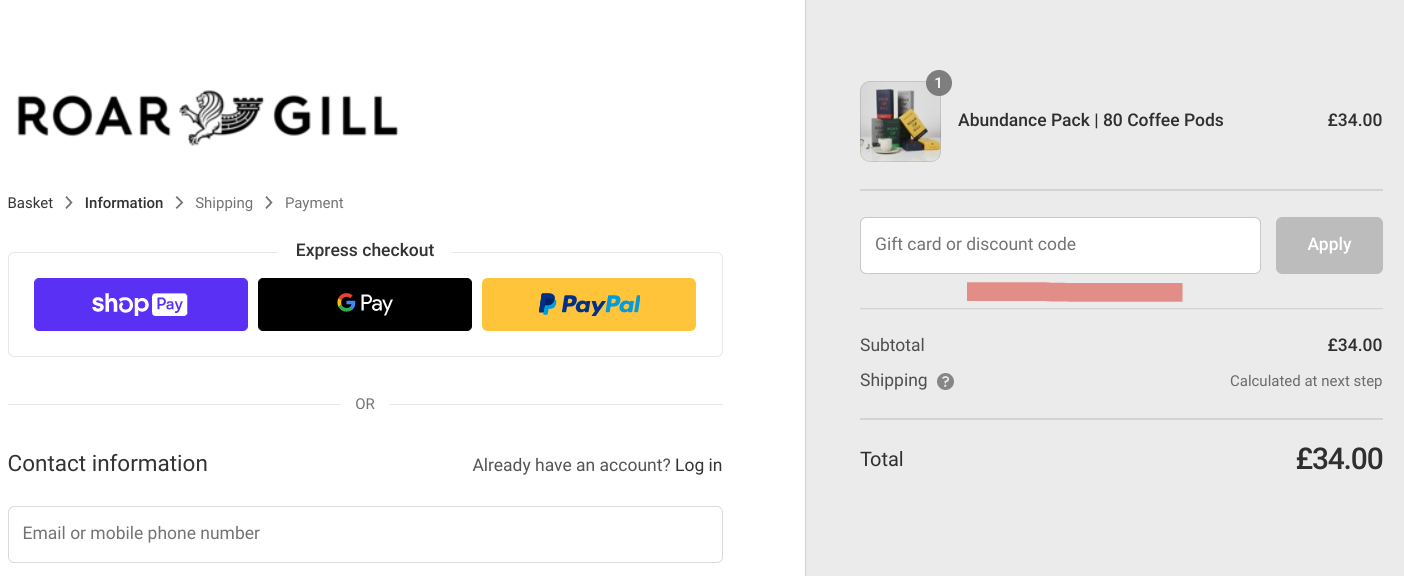
Copy and Paste your discount code into the discount section of the checkout as per the example if you are making a one time order through the website.
Aug 6, 2026